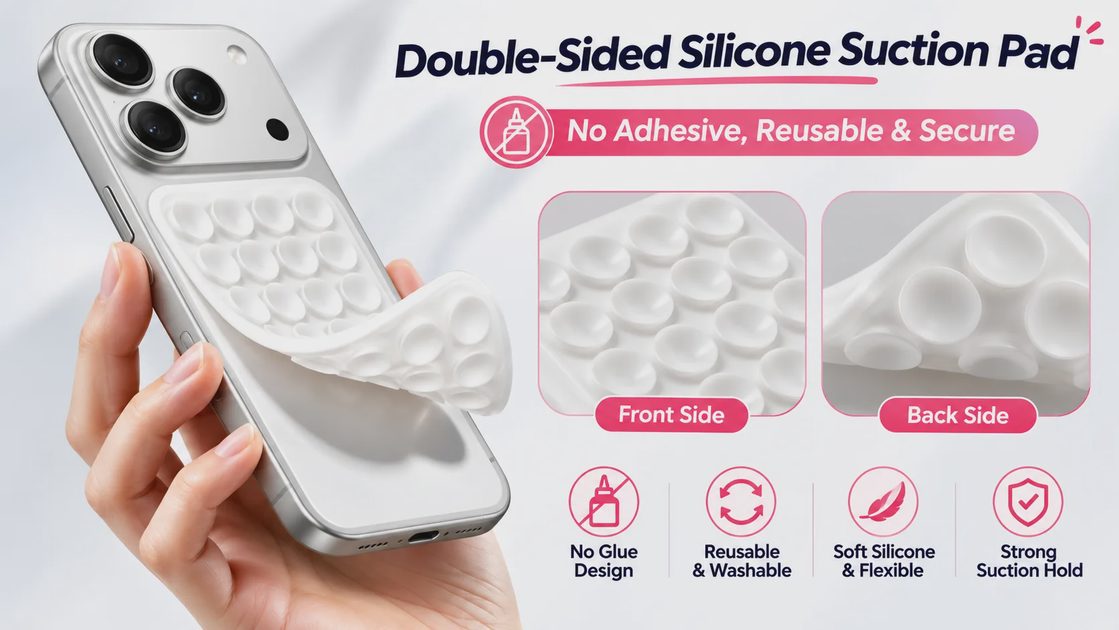

If you want hands-free clips on a mirror, glass panel, or glossy tile—without leaving adhesive film behind—a double-sided silicone suction phone mount is a low-cost option. The real question is whether it will hold your iPhone, your case, and your surface.
Quick verdict: This mount is worth considering for occasional hands-free filming on a clean, smooth mirror, window, or glossy tile. It is a poor choice for textured cases, rough walls, or dependable navigation while driving. Before you buy, check your iPhone’s size and weight, whether the case back is smooth and flat, and where you actually plan to stick it.

What Problem This Solves
Some phone mounts use suction on one side and adhesive on the other. Depending on the adhesive and surface, removal may require extra care or leave residue. A double-sided suction design offers a different approach for temporary mounting on compatible smooth surfaces.
This product is double-sided silicone nano-suction: both faces grip with micro cups, not glue. In ordinary use that means you can:
Stick one side to a smooth surface
Stick the other side to a smooth case back (or phone back)
Peel off when finished
Rinse dust out and try again
It is a pocket alternative to a mini tripod only when the surface and case back cooperate.
What You’re Buying
Detail | Listing / practical note (verify live) |
|---|---|
Type | Double-sided silicone suction pad |
Size | Small about 3.74" × 2.2" (Large sold as another option) |
Material | Soft flexible silicone |
Grip | Nano-suction surfaces on both sides; designed without an adhesive glue layer. |
Residue | Designed to leave no glue residue |
Claimed phone range | About 4.7"–7" class phones (listing language) |
Cases | Listing mentions thick cases including rugged/wallet styles if contact is smooth |
Surfaces | Smooth glass, tile, window, some hard dash panels |
Will not grip | Leather, fabric, matte texture, rough walls, textured case backs |
Price | About $5.36 (re-check on publish day) |
Screen size alone does not equal safe hold. Heavier phones, thick cases, camera bumps, and partial contact all change the outcome. If the manufacturer does not publish a maximum weight or model-by-model test, treat heavier setups as higher risk and test only at low height.
Will It Work With Your iPhone and Case?
Check the full stack—not only “it says iPhone” on the listing.
Check | What to look for |
|---|---|
iPhone model / size | Listing covers a wide range; still confirm Small vs Large pad dimensions against your case |
Weight | No substitute for a published load limit—if none is stated, be conservative |
Case back material | Smooth hard plastic / glossy backs grip better than soft silicone or matte rubber |
Case back shape | Flat contact area large enough for the pad |
Camera island / rings | Raised camera guards, MagSafe rings, stands, or wallet flaps can break full contact |
Orientation | Confirm vertical and horizontal both feel secure in a low, safe test |
Surface | Mirror / glass / glossy tile beat textured paint every time |
Thick cases: A thick case may work if the back is smooth, flat, and large enough for full contact. Thickness alone does not guarantee grip. Raised camera guards, built-in stands, wallet attachments, and soft flexible backs can shrink the usable contact area. Check fit carefully before trusting the mount with your phone.
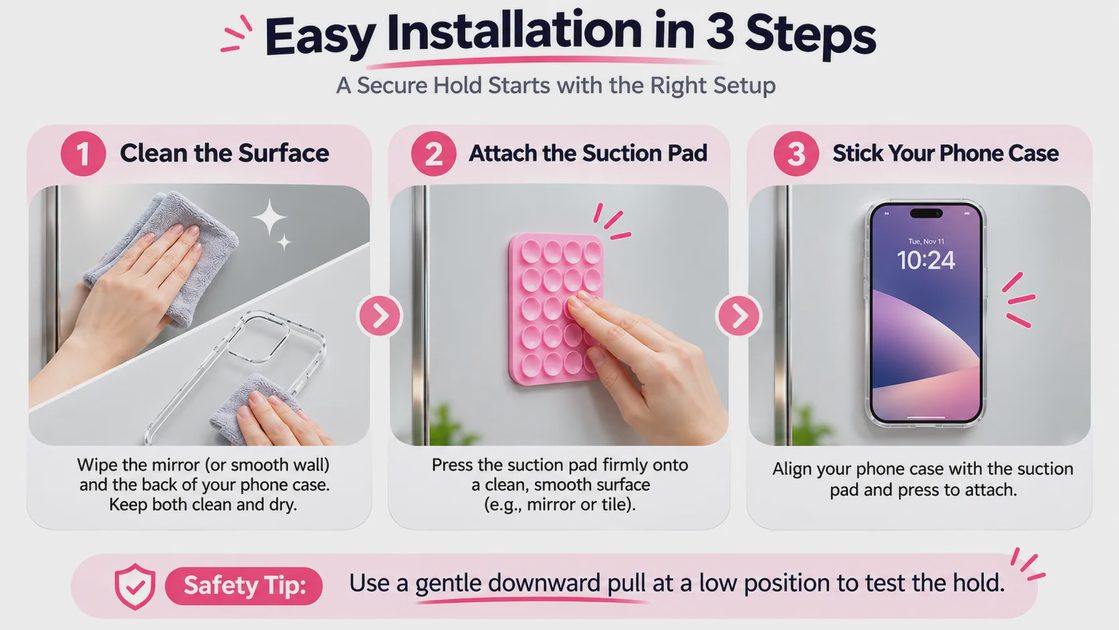
How to Use It
Clean the wall/mirror and the case back (dust and oil weaken suction).
Press one side of the pad firmly onto the smooth surface—full contact, no curled edges.
Press the iPhone case onto the other side—flat and firm.
Tug-test at low height before you film.
Record, then peel slowly from a corner.
What If the Mount Keeps Slipping?
Work through this order:
Reclean the surface and the case back.
Confirm both faces are smooth and flat—not matte, stitched, or textured.
Check for camera bumps, rings, or wallet flaps blocking contact.
Rinse the pad per the maker’s cleaning guidance and air-dry fully.
Retry only in a low, safe position over a soft landing zone.
If it still creeps or pops off, stop. Do not keep rehanging a phone over hard floors or high shelves.
First tests should never be over tile from head height or above anything expensive.
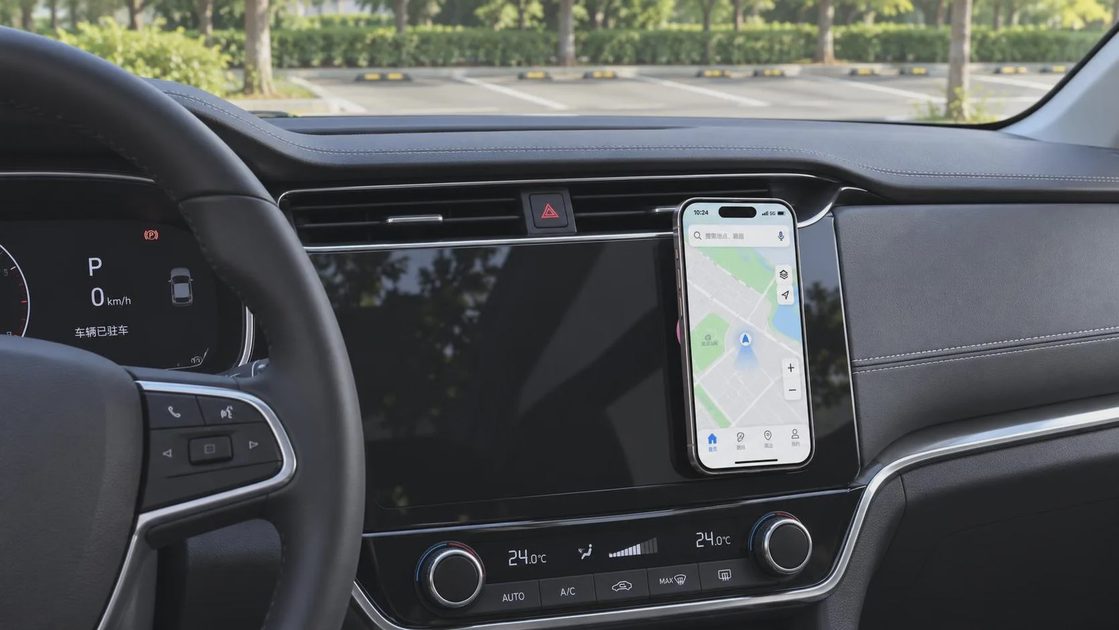
Car Use: Stationary Smooth Panels Only
The listing mentions dashboards and windows. Smooth hard panels only.
Situation | Practical read |
|---|---|
Parked car, glossy hard plastic panel, short clip | May work if contact is solid and you accept the limits |
Textured, leatherette, or matte dash | Expect failure |
Phone as navigation while driving | Do not rely on this mount |
Local mounting laws / blocked controls | Your responsibility—never block driving sightlines |
May be suitable for stationary use on a clean, smooth panel, subject to the manufacturer’s mounting guidance. Do not rely on it to secure a phone while the vehicle is moving.
For driving navigation, a dedicated vent or dash mount designed for motion is the more appropriate tool.
Cleaning When Grip Feels Weak
Dust and lint are common reasons suction performance may weaken.
The product is designed to be washable. Cleaning may help remove dust or lint that interferes with suction. Follow the manufacturer’s cleaning instructions, let the pad air-dry completely, and test the grip again before attaching your phone. Avoid wiping with materials that leave fibers in the micro cups if the maker advises air-drying instead.
Residue: The product is designed to use suction rather than an adhesive glue layer, so it should not leave sticky adhesive residue when used as directed. However, surface marks or residue cannot be ruled out on every material. Test an inconspicuous area first and follow the manufacturer’s surface-care guidance.
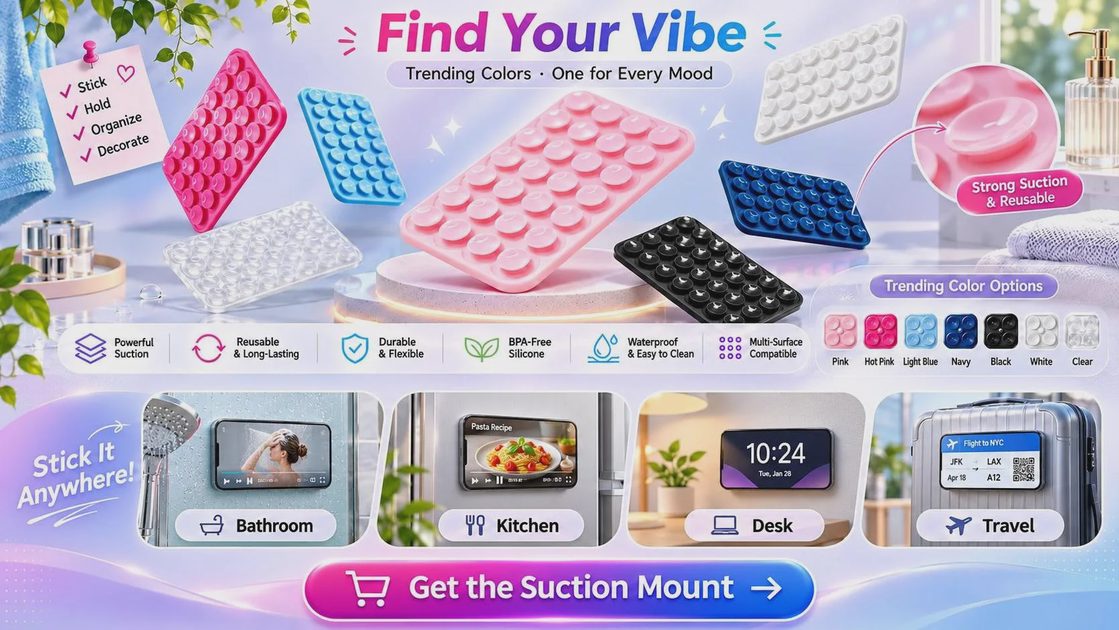
Size: Small vs Large
This guide focuses on the White Small option. Before choosing Small or Large, compare the pad dimensions with the flat contact area on your iPhone case. A larger pad may offer more contact area, but that does not automatically mean it can safely support a heavier phone. Check the manufacturer’s stated compatibility and weight limits, if available.
Is This Better Than a Tripod or MagSafe Stand?
Need | Better direction |
|---|---|
Mirror / glass, short hands-free clips | Double-sided suction pad |
Desk video calls | Desk stand |
Frequent angle changes | Mini tripod |
In-car navigation while moving | Dedicated car mount |
Fast magnetic attach with MagSafe gear | A verified MagSafe mount/stand for your phone + case |
Textured walls | Do not use this suction pad |
You do not need every stand type. Match the tool to the surface and the job.
Who Should Buy—and Who Should Skip
Consider it if you:
Film at a mirror, glass, or glossy tile
Want on/off mounting without adhesive film
Have a smooth, flat case back
Accept low-height testing and occasional re-cleaning
Want a pocketable pad around the $5 level
Skip if you:
Only have textured or soft matte cases you will not change
Need a mount for rough walls
Need a locked driving navigation mount
Expect tripod hinges and multi-angle hardware
Need a published weight rating the listing does not provide for a heavy phone + case
Bottom Line
A double-sided suction phone mount for iPhone only earns its keep when three things align: a smooth mounting surface, a smooth flat case back (or phone back), and realistic expectations. It is a sensible, washable option for mirror and tile clips. It is the wrong tool for textured cases, rough walls, and phones that must stay put while a car is moving.
Check your case back and surface first. Tug-test low. If contact is incomplete, choose another mount style instead of forcing this one.
Make your tech fit your life.
As an Amazon Associate, I earn from qualifying purchases.