
Choosing iPhone 18 storage is less about buying the biggest number and more about matching the phone to your habits. If you mainly use Messages, Maps, email, streaming apps, and occasional photos, a lower capacity could be enough. If you record lots of video, download games, or keep years of media on the phone, paying for more room can be cheaper than managing storage every week.
Apple has not confirmed every iPhone 18 configuration or its final U.S. pricing, so treat capacity rumors as unverified until Apple publishes official specifications. The practical buying method is still clear: check your current iPhone, estimate how quickly you fill it, and leave room for the next several years.
Start with your current storage habits
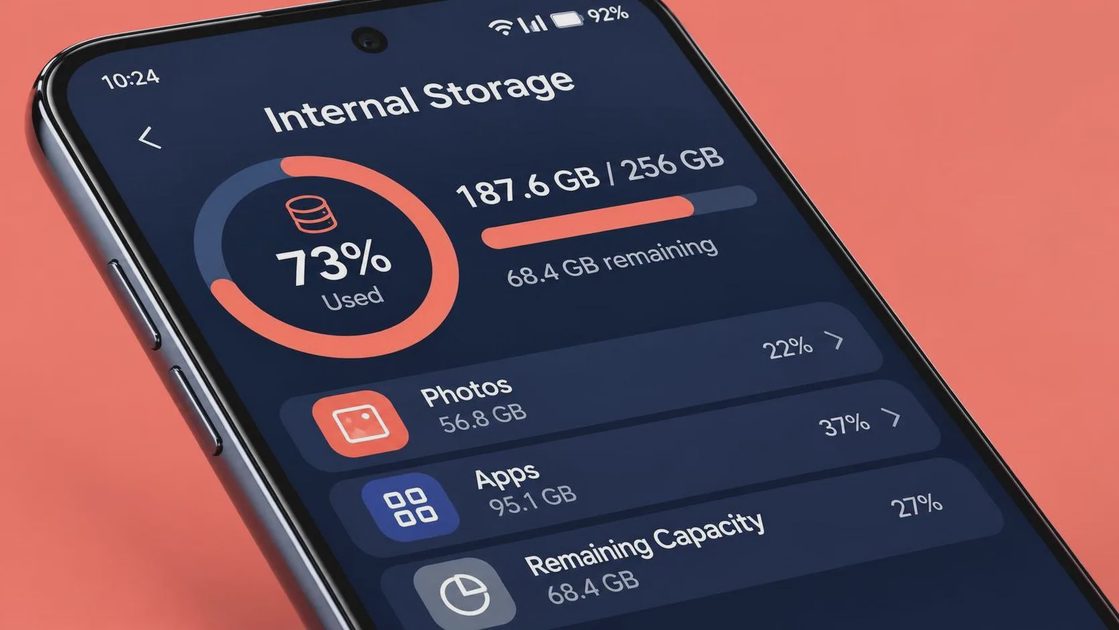
Open Settings, tap General, and choose iPhone Storage. Look at the used space, not just the capacity printed on your current phone. A 128GB iPhone with 92GB used tells a different story from a 256GB iPhone with 92GB used. Also look at the recommendations and the largest apps. Photos, videos, Messages attachments, podcasts, offline maps, and games often explain most of the total.
Your current phone is useful evidence, but it is not a perfect forecast. A newer camera can encourage larger photo and video files, while better cloud syncing can reduce the amount kept locally. A new game can occupy 10GB or more, and several downloaded streaming seasons can consume that much quickly. If you are already deleting photos before trips or removing apps to install updates, your next phone should have more space.
For a simple rule, aim to have at least 20GB to 30GB free after moving your data. That buffer gives iOS room for updates, temporary files, and everyday downloads. It also prevents the frustrating cycle of clearing storage before taking a video or installing an app.
Which iPhone 18 storage tier fits you?
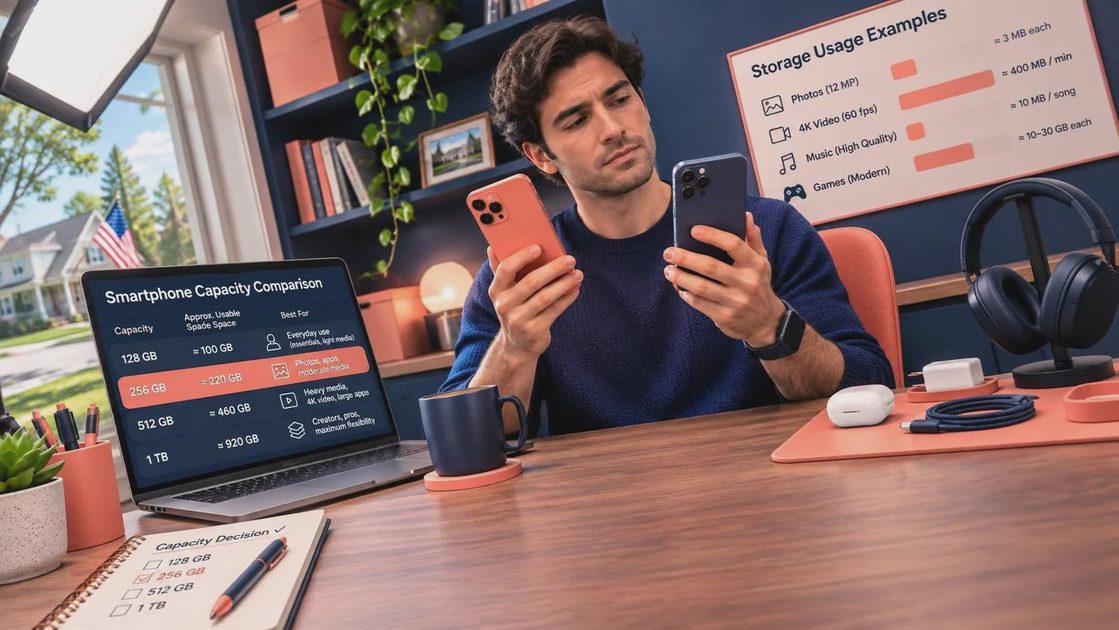
A 128GB model, if offered, is best for a light user who streams music and video rather than downloading it. It can work for someone who takes normal photos, uses cloud photo storage, and does not keep a large game library. The tradeoff is maintenance. You will need to review videos, attachments, and downloads more often, especially after two or three years.
A 256GB model is the sensible middle choice for many buyers. It gives a family phone, frequent photographer, or commuter who downloads content more breathing room without automatically paying for the largest tier. It is also a safer choice if you plan to keep the phone for four or five years. For many people comparing iPhone 18 storage options, 256GB should be the starting point rather than the fallback.
A 512GB model makes more sense for heavy camera use, large games, local video files, or professional work. It can be valuable for a person who records concerts, sports, travel clips, or high-resolution video and wants to edit without constantly transferring files. It is harder to justify if your phone is mostly a communication and streaming device.
Larger capacities, if Apple offers them, are for a narrower group. A phone filled with downloaded video projects, Pro-level camera files, games, and work documents can use that space. Otherwise, the extra purchase price may be better spent on AppleCare+, a case, a replacement battery later, or cloud storage.
Photos and video change the calculation
Photos usually accumulate quietly. Video is what can change the decision quickly. A short casual clip takes little room, but repeated high-resolution recording, editing copies, and exported versions can create several large files from one event. Check whether you use features such as high-frame-rate video, cinematic effects, or other advanced recording modes before choosing iPhone 18 storage.
Cloud Photos is helpful, but it is not unlimited free storage. Apple includes a small amount of iCloud space, and larger photo libraries can require a paid iCloud+ plan. Google Photos, OneDrive, and other services are alternatives, but each has different backup, editing, and privacy controls. Cloud storage can reduce local clutter; it does not eliminate the need for a backup plan or guarantee that every file is available without an internet connection.
If you take many photos but rarely record long videos, 256GB is often a comfortable target. If video is central to your work or hobby, start at 512GB and compare its price with the cost of transferring files regularly.
Games, downloads, and family use
Games are another reason a seemingly roomy phone fills faster than expected. One large title might use 15GB or more after updates and downloaded assets. A few games, offline Netflix or Disney+ episodes, Spotify playlists, podcasts, and maps can take tens of gigabytes before you add personal files.
Families should also consider who will use the phone. A parent managing school photos, shared videos, and travel downloads may need more room than an individual who streams everything. However, a child’s heavy app use does not automatically mean the most expensive capacity. Removing unused games, limiting offline downloads, and reviewing Messages attachments can recover meaningful space.
Do not confuse iCloud storage with iPhone storage. Buying more iCloud space does not increase the physical capacity of the phone. It can help store backups and photos, but apps, system files, downloaded media, and some photo originals still use local storage.
How to choose without overspending
First, write down your current capacity and used space. Second, add the amount you expect to keep locally, such as 30GB of video or a large offline music library. Third, add a buffer of at least 20GB to 30GB. Finally, compare the one-time price difference between capacities with the cost of cloud storage and the hassle of regular cleanup.
For example, someone using 70GB today who expects more photos and games could choose 256GB comfortably. A person using 170GB today should not buy 128GB simply because cloud backup is available. Someone using 230GB and recording video should examine 512GB, especially if the phone will replace a camera or travel computer.
Remember that storage cannot be upgraded later. A case, charger, or wireless power bank can be replaced, but the internal capacity is fixed. That makes storage one of the few decisions worth getting slightly generous about, provided the price fits your budget.
The practical iPhone 18 storage recommendation
Choose the smallest capacity only when your current usage is comfortably below it and you are willing to manage downloads. Choose 256GB when you want a balanced phone for photos, apps, family use, and several years of ownership. Choose 512GB when video, games, or offline files are already a major part of your routine.
Before ordering, wait for Apple’s official iPhone 18 storage choices and U.S. prices. Then compare the upgrade cost with a cloud plan and your actual usage report. If your current iPhone has plenty of free space and meets your needs, you do not need to pay for capacity you will never use. Make your tech fit your life.